🔖 Chrome & Edge Extension

Never lose a LinkedIn post again

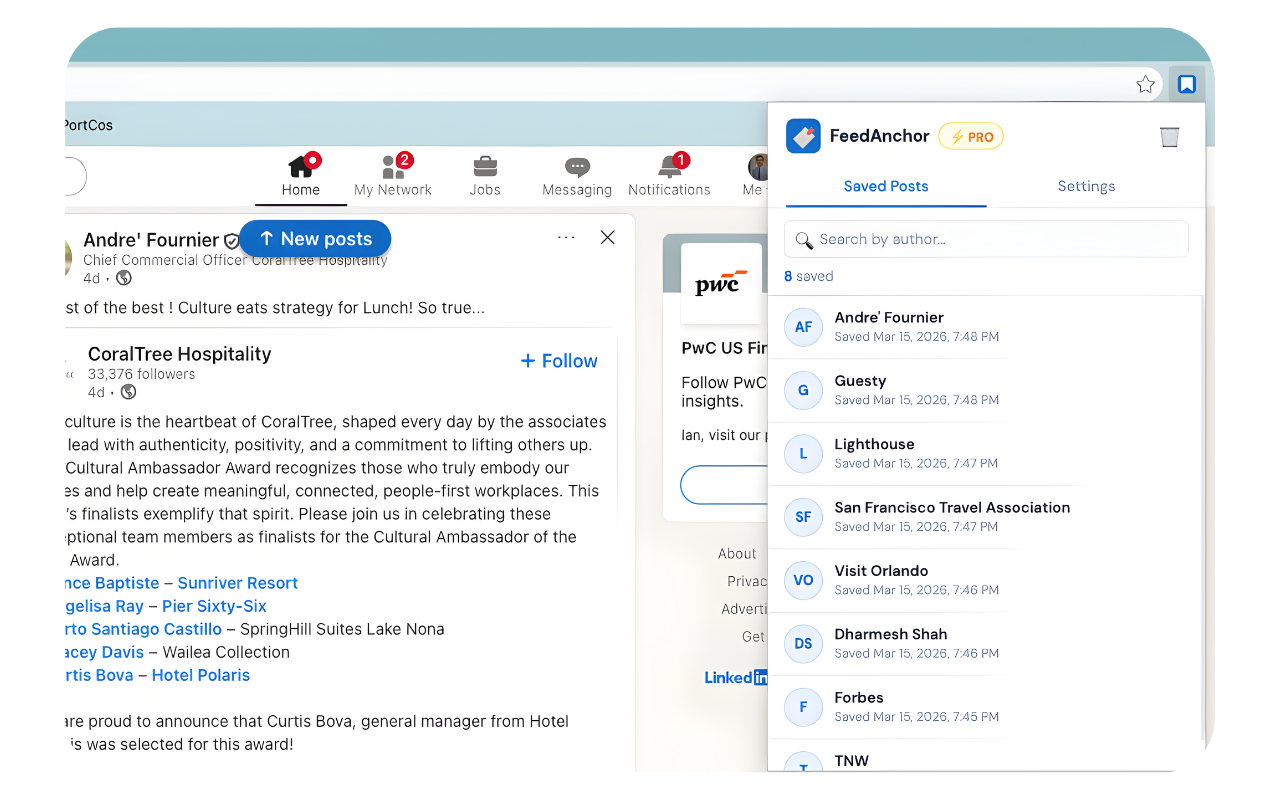
You pause on a post. Then a meeting pulls you away. When you come back, it's gone. FeedAnchor silently saves every post you linger on — automatically.

✓ Free to start  ·  ✓ No LinkedIn login needed  ·  ✓ Private
Watch demo
Watch 90-second demo
🧩 Works on Chrome & Edge
🔒 Posts saved privately on your device
Zero setup — install and go
📋 LinkedIn ToS compliant

Three seconds to save.
Zero effort required.

FeedAnchor runs quietly in the background while you browse LinkedIn. No buttons to click, no copying links.

1
📌

Install the extension

Add FeedAnchor to Chrome or Edge in one click. Sign in with Google and you're ready. Takes under 60 seconds.

2
👀

Pause on anything interesting

Browse LinkedIn normally. When you stop scrolling on a post for 20 seconds, FeedAnchor silently saves it. No clicks needed.

3
🔖

Read it whenever

Click the FeedAnchor icon anytime to see every post you saved. Open it directly, add a note, or export to CSV or Notion.

Start free. Upgrade when you're ready.

No credit card required to get started.

Free
$0
forever
  • 5 auto-saves per day
  • Fixed 20-second pause timer
  • Open saved posts instantly
  • Works on Chrome & Edge
  • Adjustable timer
  • Notes on posts
  • CSV & Notion export
Get started free

Common questions

Everything you need to know about FeedAnchor.

Does this violate LinkedIn's Terms of Service?
No. FeedAnchor only saves the post's public URL and the author's visible name — the same information you'd see by right-clicking a link. It doesn't scrape content, automate any actions, or interact with LinkedIn's API. It's functionally equivalent to bookmarking.
Where is my data stored?
Saved posts are stored locally on your device using your browser's built-in storage. Your sign-in details are secured using Google OAuth — we never see your LinkedIn password. Your data is private and never sold.
How does the 20-second timer work?
When you stop scrolling and a post is at least 10% visible on your screen, a silent 20-second countdown begins. If you scroll away before it ends, the timer resets. Only posts you genuinely pause on get saved. Pro users can adjust this to anywhere from 10 to 60 seconds.
Does it work if I close LinkedIn and come back?
Yes — that's exactly what it's built for. Your saved posts persist across sessions and browser restarts. Even after LinkedIn refreshes and wipes your feed, your saved posts stay right in the extension.
What browsers does it support?
FeedAnchor works on Microsoft Edge, Google Chrome, and any Chromium-based browser (Brave, Arc, etc.). Firefox support is not available yet.
Can I cancel my Pro subscription?
Yes, anytime. Go to Settings inside the extension and click "Manage" to access the billing portal. There are no cancellation fees and your Pro features remain active until the end of your billing period.

Start saving posts today.

Free to install. No credit card, no LinkedIn login required.